Beyond Static Diagrams: Why A Live Network Mapper is the Key to Zero-Downtime IT
-
by Admin
-
October 15, 2026
-
218 comments
-
6 Minutes read
-
9 views
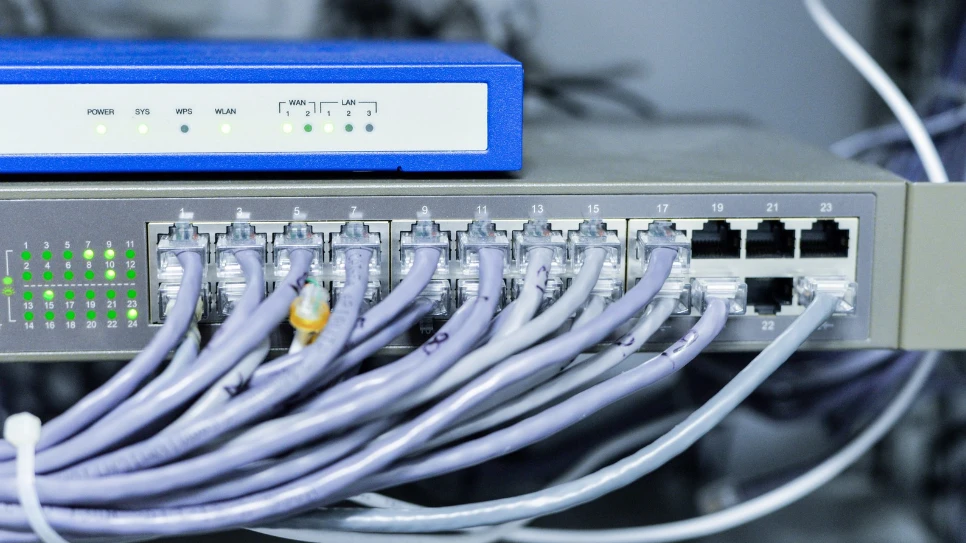
Static diagrams and basic tools leave IT teams blind when systems crash. Implementing a reliable network mapper bridges the gap between layout and live monitoring. Let’s learn how automated tracking eliminates downtime.
All featured products are selected by our editors and may include affiliate links. If you purchase through these links, we may earn a commission.
Every network admin knows the struggle of spending hours drawing detailed network diagrams in Visio. You finally finish, only for a colleague to swap a switch or deploy a virtual host that renders your work completely useless. This constant battle against outdated documentation leaves IT teams struggling to maintain clear visibility into their expanding infrastructure.
To fix this, most teams opt for a basic network mapper to automate the tedious documentation process. But these tools generate messy spiderweb diagrams that show what exists but leave you completely blind during a critical outage. You need a living network map that combines automated topology discovery with live performance monitoring to pinpoint issues instantly. Here’s why and how Paessler solves this conundrum to make IT management a bit easier.
Painful Frustrations Network Admins Deal With
Managing complex IT infrastructure often exposes administrators to persistent operational bottlenecks and fragmented workflows. But the worst part is that most network mapping tools claim to fix these issues but rarely do.
-
Auto-discovery tools spit out messy spiderweb maps that prove useless during emergencies.
-
Outages trigger overwhelming alert storms and force troubleshooting across multiple separate software consoles.
-
Unexpected downtime leaves teams guessing if hardware failed or someone altered network configs.
-
Buying separate scanners, mappers, and backup tools drains budgets while fragmenting daily workflows.
Why Paessler’s Network Mapping Software is a Lifesaver for IT Techs
The Paessler PRTG Network Monitor combines real-time infrastructure monitoring with automated topology mapping. Unlike standalone tools that only draw static maps, PRTG tracks live device performance, configuration changes, and Layer 2/3 connections down to the switch port. This comprehensive oversight allows sysadmins, network engineers, and IT managers to find root causes fast, drop extra software, and keep maps updated automatically.
How Paessler PRTG Delivers Live Network Mapping
Relying on traditional network mappers leaves IT teams with dead diagrams that offer zero help when critical systems are down. Paessler PRTG turns static topology into an active troubleshooting hub by combining automated discovery, real-time performance tracking, and configuration history into a single view.
Eliminating Manual Visio Upkeep
IT people spend hours updating Visio diagrams only for a single hardware swap to make your documentation obsolete, which is a constant headache for network teams. Manual mapping drains valuable technical resources and leaves you with outdated information during urgent security audits or network expansions.
Paessler PRTG solves this by leveraging automated protocols like SNMP, LLDP, CDP, WMI, and SSH to continuously scan your entire infrastructure. It automatically builds and updates Layer 2 and Layer 3 topology maps down to the port level, ensuring your documentation stays accurate without manual effort.
Why this Matters to IT: You save dozens of hours every month on routine documentation and pass compliance audits with zero stress.
Extracting Critical Performance Data in Real-Time
Seeing a device icon on a basic map tells you that it exists, but it leaves you totally blind when bandwidth chokes or CPU usage spikes. Traditional mapping tools show physical connections while completely missing the active health metrics needed to prevent performance bottlenecks.
PRTG bridges this gap by overlaying real-time, color-coded performance data directly onto your topology diagrams and Sunburst views. This transforms passive network drawings into interactive NOC dashboards that alert you to packet drops, high latency, and device stress before failures occur.
Why this Matters to IT: You instantly spot failing components and chokepoints before they trigger costly downtime for your end users.
Taming Alert Storms with Dependency Mapping
When a core switch unexpectedly fails, standard monitoring tools flood your inbox with dozens of false downstream alerts that mask the actual failure point. Sorting through this mountain of notifications during an outage causes severe alert fatigue and drags out mean time to resolution.
PRTG’s built-in dependency mapping clearly highlights the relationship between upstream causes and downstream devices across your architecture. By clicking any impacted node, sysadmins can instantly isolate the root cause, suppress secondary noise, and see the exact blast radius of the incident.
Why this Matters to IT: You eliminate alert noise and slash resolution times by fixing the core issue on the first try.
Leveraging Configuration Diff Tracking
When an unexpected system crash happens after hours, sysadmins are immediately forced to guess whether a physical cable broke or a colleague silently tweaked a switch config. Without a clear historical record, finding the unauthorized or accidental modification feels like searching for a needle in a haystack.
Paessler PRTG resolves this mystery by taking scheduled topology discovery snapshots and offering a side-by-side configuration diff viewer. You can quickly compare current device setups against baseline snapshots to identify exact config changes made right before the incident occurred.
Why this Matters to IT: You immediately identify unauthorized network modifications and restore working configurations in seconds rather than hours.
Tailored Analytics for All Stakeholders
Trying to share detailed, port-level technical maps with non-technical executives often leads to confusion during high-level status updates. Managing separate mapping software to generate high-level summaries alongside granular engineering views adds unnecessary software bloat to your environment.
PRTG offers flexible, drag-and-drop map editors and customizable layouts to build targeted views for any internal audience. You can publish clean, bird's-eye dashboards for IT directors, display live NOC maps on public screen iFrames, or drill down into individual port metrics on deep sysadmin dashboards.
Why this Matters to IT: You deliver clear visibility to executive leadership while keeping engineers focused on deep technical metrics using one single tool.
FAQs
Can PRTG Track Network Configuration Changes Before an Incident Occurs?
Yes, using PRTG UVexplorer scheduled snapshots, you can run side-by-side configuration diff comparisons to see what changed.
Can Paessler PRTG Automatically Update Network Maps When New Devices Are Added?
Yes, PRTG runs scheduled auto-discoveries to detect new hardware, update topology connections, and maintain self-updating map views in real time.
Can I Share Custom PRTG Dashboards With Non-Technical Stakeholders?
Yes, you can build executive-level summary views or publish live public URLs and iFrames for Network Operations Center screens.
Outdated Visio drawings and static mappers leave IT teams blind when critical systems suddenly crash. Upgrading to a living network map combines automated discovery, live device health, and configuration tracking into one easy view. Unifying mapping and monitoring in a single platform helps sysadmins spot root causes fast, drop extra software, and prevent downtime. Claim complete visibility over your entire network today by starting a free trial of Paessler PRTG Network Monitor or testing PRTG UVexplorer.
Follow HealthInfoLife for more breakdowns on essential IT monitoring solutions, tech best practices, and enterprise software guides!
POPULAR BLOGS